
How QTalo Works
More clients. More emails. More Slack threads. More chances for something to get missed.
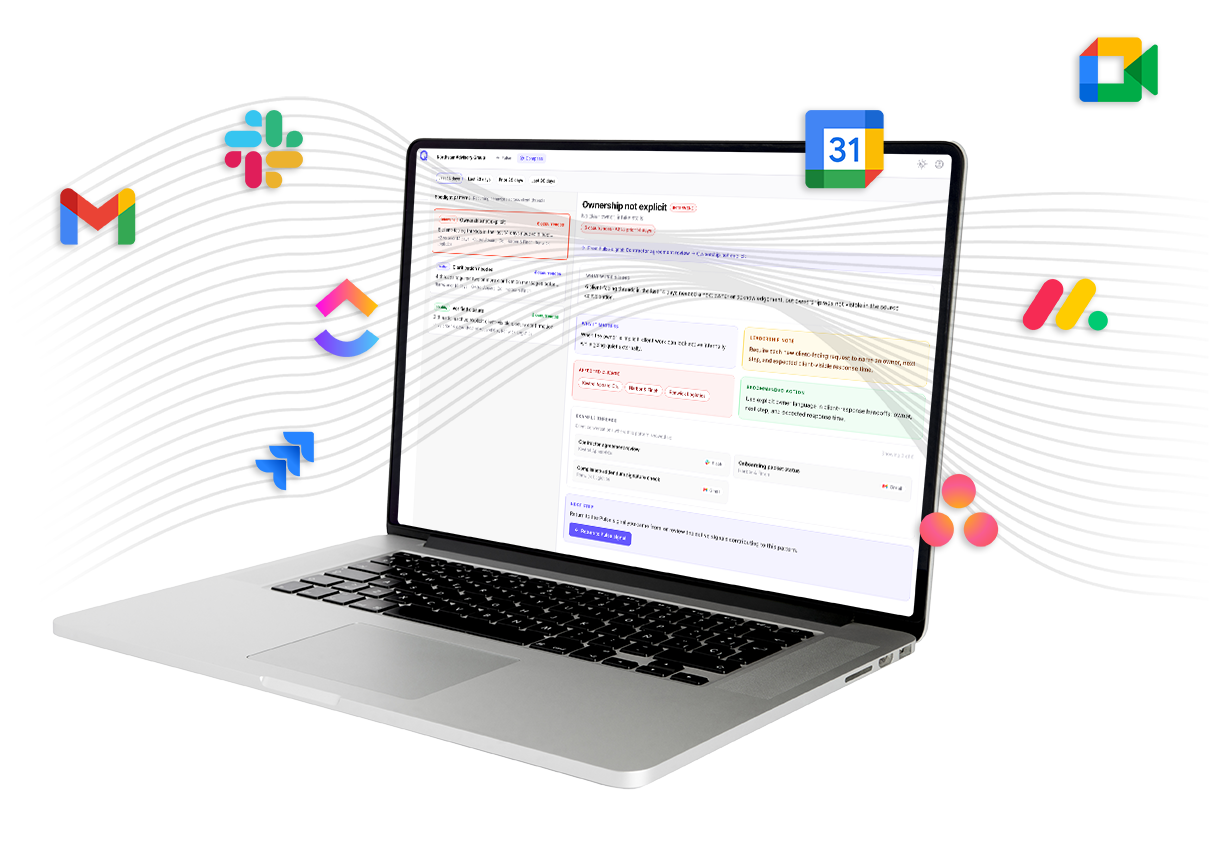
QTalo connects to the tools you already use and analyzes activity to find unanswered requests, missed follow-ups, and stalled tasks. It shows you what needs attention, along with details that explain why.
How it works
See the full picture in one window.
1
Connect Your Tools
QTalo's team connects your existing email, messaging, and project management tools. Your team keeps working as usual.
2
Analyze Activity
QTalo uses AI to analyze messages, tasks, and updates across connected systems, looking for unanswered requests, stalled work, and missing next steps.
3
See Results
Get a unified dashboard showing what needs attention, with supporting evidence you can review. Weekly reports highlight recurring issues and patterns.
Some of the earliest warning signs are easy to miss.
QTalo identifies unanswered requests, stalled activity, and recurring issues across connected systems, helping teams recognize developing risks before they become client escalations.
Unanswered Requests
Identify client questions and requests that are still waiting for a response, even when no formal deadline has been set.
Unclear Next Steps
Spot work that has stalled without a clear owner, follow-up, or next action, so your team can address uncertainty.
Recurring Patterns
Recognize repeated delays and unresolved issues across clients and workflows, helping identify patterns that might otherwise go unnoticed.
QTalo Pulse
See what's happening now.

Home
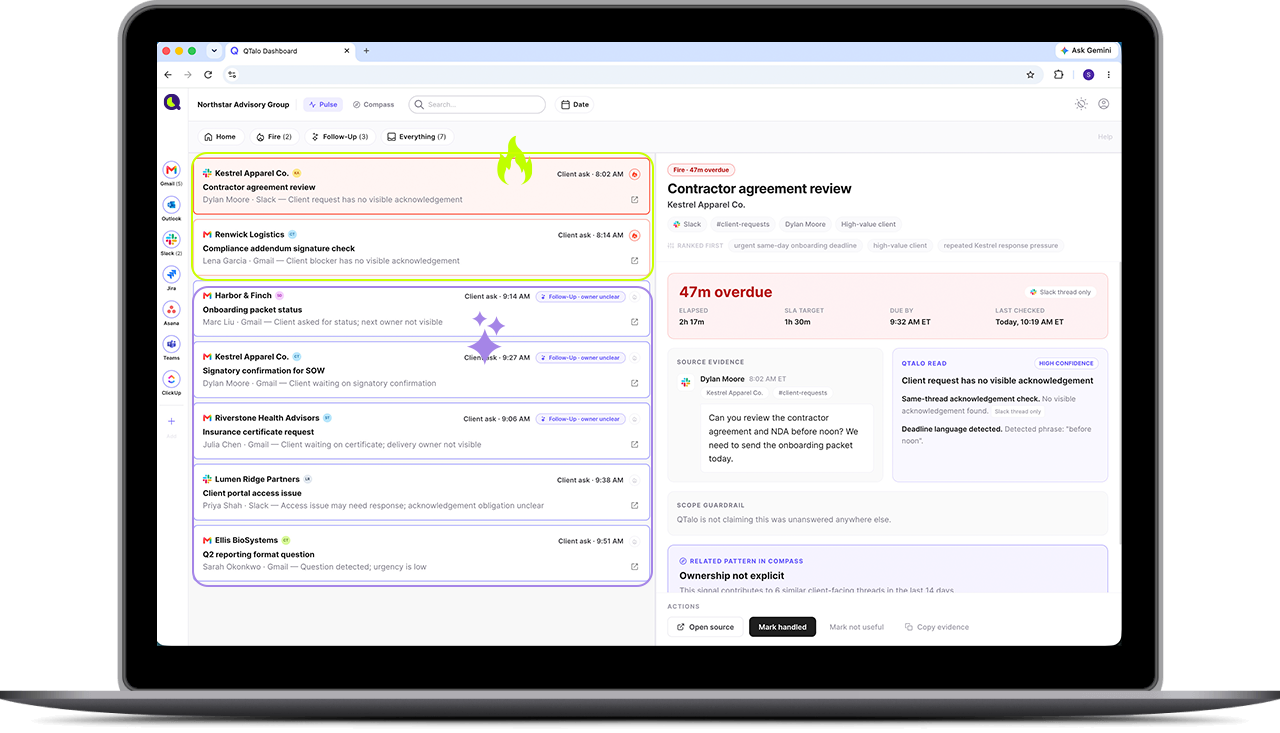
Get a quick overview of the most important items that need attention.

Fire
See urgent requests and issues where delays could be costly.

Follow-Up
Find unanswered requests and conversations waiting for someone to respond.

Everything
See all recent activity in one list, including flagged items and their warnings.
Qtalo compass
See what's happening over time.
Spot Patterns
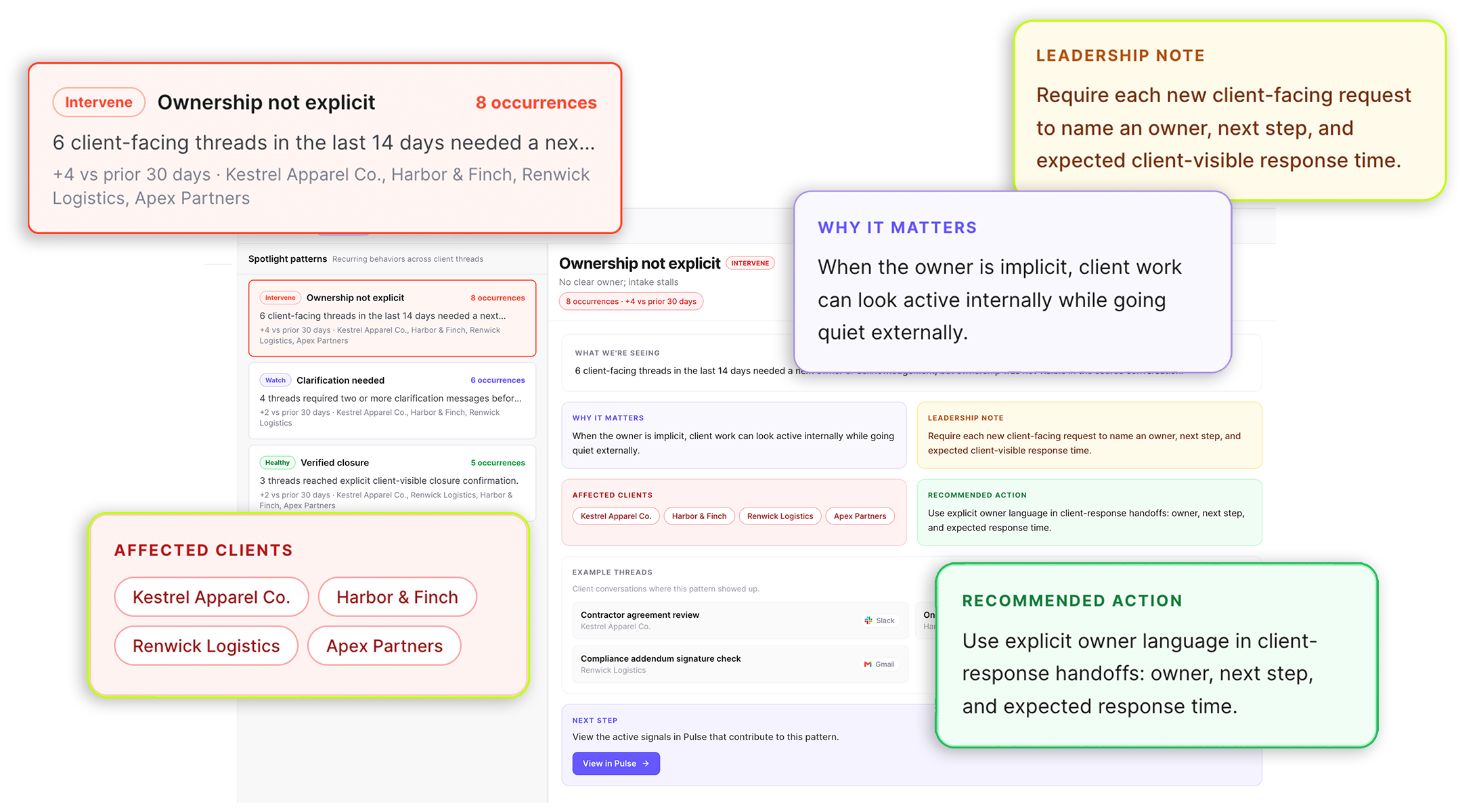
Identify recurring issues across clients and projects that might go unnoticed when reviewing individual tasks or conversations.
Track Changes
Compare activity over 14, 30, or 90 days to see which issues are increasing, improving, or continuing.
Take Action
See which clients are affected and get recommendations for addressing recurring problems.
Frequently Asked Questions
We are happy with our current tools. Do we need to replace them or add more?
You can keep your current tools. QTalo works alongside them, connecting information from your email, messaging, and project management apps. There's no need to replace your systems or change how your team works.
Which apps and platforms does QTalo connect with?
QTalo connects with popular tools including Gmail, Slack, Jira, Asana, ClickUp, Monday.com, Google Calendar, and Google Meet.
How does QTalo access and protect our company information?
QTalo analyzes information from connected systems to identify activity that needs attention. It's designed with security and privacy in mind, including controls over which information is accessible. Visit our Security page for more details.
How is QTalo different from project management software?
Project management tools help you organize tasks, deadlines, and assignments. QTalo looks across those tools, along with email and messaging, to identify unanswered requests, stalled work, and missing follow-ups that individual systems might not catch.